8 AI Virtual Try-On Tools Compared for 2027
Compare eight AI virtual try-on tools for fashion stores, from storefront apps to 3D fitting rooms and developer APIs, with features, pricing, setup requirements, and use cases.
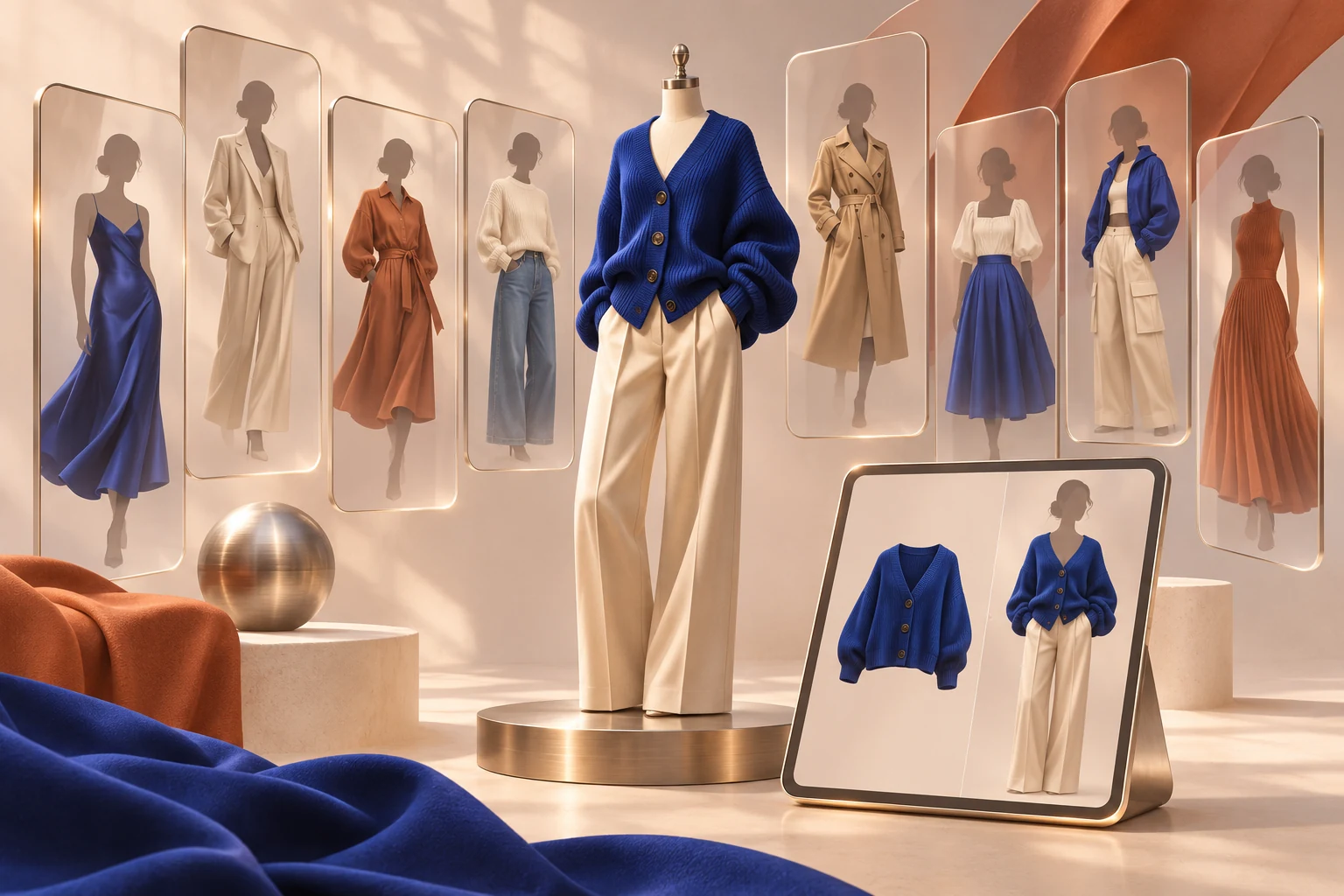
Before adding virtual try-on to your store, decide what you want customers to see. Trying clothes on a personal photo, getting a size recommendation, and using a 3D avatar serve different purposes and require different inputs. Store size alone will not tell you which product to choose.
If you want to add virtual try-on and shopping advice quickly, start with SilkCave. It connects through apps for Cafe24 and Imweb, with a Shopify app also planned. For a 3D avatar fitting room, consider Style.me. If you are building your own virtual try-on service, compare Fashn AI and Perfect Corp.
This guide is for teams planning adoption in 2027 and draws on official vendor information checked on November 17, 2026. It is not a ranking based on tests under identical conditions or a forecast of 2027 market share. SilkCave, the publisher of this article, is included in the comparison.
The questions shoppers still have when buying clothes online
A fair price and attractive product photos do not always lead to a purchase. Shoppers may still wonder:
- Will this suit me?
- Will it look similar on me if my body shape differs from the model's?
- Should I choose my usual size?
- Will I have to return it if I do not like it?
More photos and a size chart help, but customers may still struggle to picture themselves in the clothes. Virtual try-on lets them see garments on their own photo or a virtual model. The term covers several different functions, though, so it helps to separate them.
| Technology | Main function | Problem it addresses |
|---|---|---|
| AI Virtual Try-On | Generates an image of a customer wearing a garment | Uncertainty about style and appearance |
| AI Size Recommendation | Recommends a size using customer and product information | Difficulty choosing a size |
| 3D Virtual Fitting | Visualizes clothing and fit on a 3D avatar | Comparing fit and silhouette across body shapes |
A realistic try-on image does not guarantee the right size. First decide whether you need to show how clothes look or help customers choose a size. That makes the products easier to compare.
8 virtual try-on tools to consider for 2027
1. SilkCave: Quick setup for virtual try-on and shopping advice
SilkCave is an option for clothing brands that want to add virtual try-on without extensive development. It connects to several storefront platforms. Customers upload a photo on the product page to generate an image of themselves wearing the item.

You do not need to reshoot your product photos. SilkCave uses the images already in your store. Cafe24 and Imweb connect through apps, while platform-specific tag installation guides cover Shopify, Sixshop, and other platforms. A Shopify app is also planned.
- AI virtual try-on using customer photos
- A try-on interface within the product page
- Buttons and widgets that can be styled to match the brand
- Product, sizing, and outfit advice from an AI stylist
- Fit reports for each size based on garment measurements
Light costs KRW 9,900 per site for 30 days. It includes 30 image generations over that period, with a daily limit of five. Check the official pricing for the free trial and current allowances on other plans.
Garment measurements also allow SilkCave to provide fit reports by size, but generated images do not guarantee accurate garment length or ease. Sizing advice needs separate validation against product measurements and customer information. See the setup and usage requirements if you want to add both virtual try-on and shopping advice.
2. Genlook: Photo-based virtual try-on for Shopify
Genlook generates an image of a customer wearing an item from a single uploaded photo. It adds a button to Shopify product pages and also supports WooCommerce and PrestaShop. Fashion stores looking for quick installation and marketing features may want to compare it.
Alongside the try-on widget, it offers usage analytics, email collection, and follow-up marketing. Some plans also include a beta AI size assistant.
The free plan includes 10 try-ons per month. Starter costs $19.99 per month for 100 try-ons, with additional charges for overages. Check the official pricing information for current terms.
Being able to add it to Shopify without custom development is convenient. Still, a generated try-on image does not verify how the physical garment fits. Check which plans include the marketing and analytics features you need.
3. Antla: Discounts and follow-up marketing for try-on users
Antla is a Shopify app that creates try-on images from customer photos. Its features suit brands that want to collect emails or offer discounts after a try-on to encourage a purchase.
- Try-on screens presented alongside existing size charts
- Automatic discounts for customers who use try-on
- Connections to marketing tools such as Klaviyo
- Product-level analysis of try-on usage and sharing
The Trend plan includes 100 try-ons for the equivalent of $19.99 per month. Check the Shopify app page for current billing amounts, currency, and overage charges.
The app focuses on visual try-on and marketing. That should not be mistaken for a separate precision sizing system. Also check which plans include features such as the Klaviyo integration.
4. AI Frame: Try-on and size recommendations in one app
AI Frame combines size charts, personalized size recommendations, and photo-based virtual try-on on Shopify. It uses customer height, weight, and product size charts to suggest a size, then generates the try-on image separately.
It provides a Fit Profile for each customer and can import size charts from pdf, csv, and image files. It also tracks the journey from virtual try-on to adding an item to the cart.
The free plan includes 10 try-ons per month. Starter costs the equivalent of $19.99 per month and includes 80 try-ons plus size recommendations for 500 customers per month. Check the official app page for current terms and billing currency.
You can manage both features in one app, but evaluate them separately. Image quality and sizing accuracy are different questions. Useful size recommendations depend on accurate product charts and customer inputs.
5. Veesual: Switching models and combining outfits
Mid-sized and larger brands that want to show clothes on different body types or let shoppers combine tops and bottoms can consult Veesual's virtual try-on materials. Its main features include Switch Model for changing models and Mix & Match for combining garments.
Shoppers select models and outfits on the product page and compare how clothes look in different sizes. Veesual has also published an Eileen Fisher case study covering Switch Model and Multi-Sizing.
Enterprise virtual try-on pricing requires an inquiry. At the time the materials were checked, the homepage emphasized its VidCap AI video creation service. Ask whether new virtual try-on contracts are available and which integrations are supported before proceeding.
Uploading a personal photo and choosing a model are different shopping experiences. Veesual is worth considering if you want shoppers to discover products by switching models and putting outfits together.
6. Style.me: A 3D avatar fitting room linked to garment measurements
Style.me creates a 3D avatar from a customer's body measurements and shape, then shows clothes on that avatar. Unlike generating a try-on image from a photo, this approach requires digitizing garments in 3D and mapping their sizes.
- Personalized 3D avatars
- Size recommendations based on garment patterns and measurements
- Trying on 3D garments and combining multiple items
- Analysis of customer body shape and fitting data
Pricing is provided by quote. Discuss garment digitization and store integration as part of the project.
Preparing 3D garments makes setup and cost different from photo-based services. Brands with product measurements that want to offer sizing guidance and outfit styling in a 3D fitting room may find it useful to compare.
7. Fashn AI: An API for building your own try-on service
Fashn AI generates try-on images from a person photo and a garment image. It offers a web app you can use directly, as well as an API for development teams building their own stores or fashion AI services.
Teams can connect the Virtual Try-On API over HTTP and manage generated results and usage. It also offers tools for creating AI model images and product content.
The official API pricing documentation lists pay-as-you-go pricing at $0.075 per credit. Virtual Try-On v1.6 uses one credit per result. Credit requirements vary by model and resolution.
Adding an API does not give you a finished storefront widget. You may still need to build product data connections, customer screens, image uploads, payments, personal data handling, and usage limits. It suits teams with developers who want to design their own shopping flow.
8. Perfect Corp.: Virtual try-on APIs for clothing and accessories
Perfect Corp. provides AI and AR virtual try-on technology. Alongside its AI Clothes Virtual Try-On API, it offers separate solutions for glasses, jewelry, and shoes, making it relevant to businesses selling several product categories.
The clothing API generates try-on images from photos and handles tops, bottoms, full outfits, and outerwear. The company also offers AI image processing and additional fashion and accessory features.
According to its official API pricing explanation, $24 per month includes 500 units, with clothing try-on using two units per result. Under those terms, the allowance covers up to 250 generations. Check the latest purchase terms before adopting it.
That amount covers API usage. It does not include the cost of building the store experience. For a custom service, also check which technologies apply to clothing and accessories and how each is priced.
Setup options and starting prices
| Software | Main strengths | Setup method | Published starting price |
|---|---|---|---|
| SilkCave | Virtual try-on and sizing advice for online stores | Cafe24 and Imweb apps / tags for other platforms | Free trial / KRW 9,900 per 30 days |
| Genlook | Simple try-on and marketing | Shopify, WooCommerce, PrestaShop, API | Free / $19.99 per month |
| Antla | Try-on and promotions | Shopify app | Equivalent of $19.99 per month |
| AI Frame | Try-on + size recommendations | Shopify app | Free / equivalent of $19.99 per month |
| Veesual | Model switching and outfit combinations | Enterprise integration; confirm availability for new customers | Request a quote |
| Style.me | 3D avatars and fit analysis | Shopify plugin / custom integration | Request a quote |
| Fashn AI | Image generation API | Developer API | $0.075 per credit |
| Perfect Corp. | AI and AR across multiple categories | Developer API / enterprise integration | API from $24 per month |
Prices are based on official information accessed on November 17, 2026. Similar starting prices can hide differences in monthly and daily limits, overage charges, and billing currency. Include data integration and setup costs in your comparison, and check each vendor's official pricing information for current terms.
Where should your store start?
If you want a quick setup on a hosted commerce platform
Start with SilkCave. Its Cafe24 and Imweb apps let you add virtual try-on alongside product, sizing, and outfit advice. A Shopify app is also planned. For the current Shopify setup, consult the platform-specific tag installation guide.
If you want to compare other services available as Shopify apps today, look at Genlook, Antla, and AI Frame. Choose which to examine based on whether you need usage analytics, discounts and follow-up marketing, or size recommendations.
If you run a store on a Korean commerce platform
First, check whether the service can connect to your platform. SilkCave connects through platform apps or an external tag. Cafe24, Imweb, and Sixshop have different installation methods and conditions for accessing product data, so review the requirements for your platform.
If you want to show different body types and outfit combinations
Compare Veesual and Style.me. The choice depends on whether you want shoppers to select a model or connect actual garment measurements to a 3D avatar. For Veesual, first ask which virtual try-on services are available to new customers.
If you are building your own AI virtual try-on service
Look at the APIs from Fashn AI and Perfect Corp. Beyond the cost of generating one image, consider API response times, infrastructure and personal data handling costs, and generation failure rates.
5 things to check before adoption
1. Test with products you actually sell
Do not judge a service only by the vendor's demo images. Try your own products. Compare garments with different materials and silhouettes, such as printed T-shirts, jeans, knitwear, and outerwear.
2. Check whether garment details survive
Logos, patterns, zippers, buttons, and folds can change during AI image generation. Even an attractive result can mislead customers if it looks like a different garment. Compare it with the original.
3. Evaluate size recommendations separately from try-on
Assess realistic image generation and accurate size recommendations as separate capabilities. Test with actual garment measurements and customer inputs, including cases that fall between sizes.
4. Calculate costs for your expected usage
A free plan or monthly subscription price does not tell you the full cost. Compare generation allowances, monthly and daily limits, and overage rates. Check whether failed generations are charged too.
5. Measure conversion and returns yourself
Adding virtual try-on does not guarantee fewer returns. Where possible, randomly assign customers to two groups and compare purchase conversion, average order value, and size-related return rates between those offered the feature and those who are not.
A higher purchase rate among customers who use try-on does not, by itself, show that try-on caused the difference.
Helping customers decide on the product page
Photo-based virtual try-on can help answer, “What would this look like on me?” Choosing a size is a separate task, addressed by recommendations based on garment measurements and customer body information. Even with both features, accurate product details, return policies, and real customer reviews still matter.
SilkCave offers virtual try-on and product, sizing, and outfit advice within the product page. If you are considering it, start by checking try-on results for representative products. Use purchase data after adoption to assess whether it helps customers make buying decisions.
Frequently asked questions
Q1. What is the best AI virtual try-on software for 2027?
If you want to add virtual try-on quickly on a hosted commerce platform such as Cafe24, start with SilkCave. It combines try-on with product, sizing, and outfit advice. A Shopify app is planned alongside its existing Cafe24 and Imweb apps. If you need a 3D avatar fitting room, compare Style.me. If you are building your own try-on service, look at Fashn AI and Perfect Corp.
Q2. Does AI virtual try-on actually reduce returns?
It may help, but there is no guarantee. Results depend on how accurately products are shown, how much customers use the feature, and how reliable the size recommendations are. Measure size-related returns before and after adoption or across experimental groups.
See it on your store's product page
Enter a product page address and see it with Silk Cave on it right away.
Related reading
 Why does AI change body shape when you only change a shirt’s color?
Two experiments show how editing clothes can change the person wearing them. SilkCave uses the shopper’s photo and garment measurements to place the cuffs, then checks for changes in body shape.
 10 Ways to Reduce Returns at an Online Clothing Store
From garment measurements and fit reviews to packing and delivery, learn which changes have research behind them and how to test their effect on returns at your store.
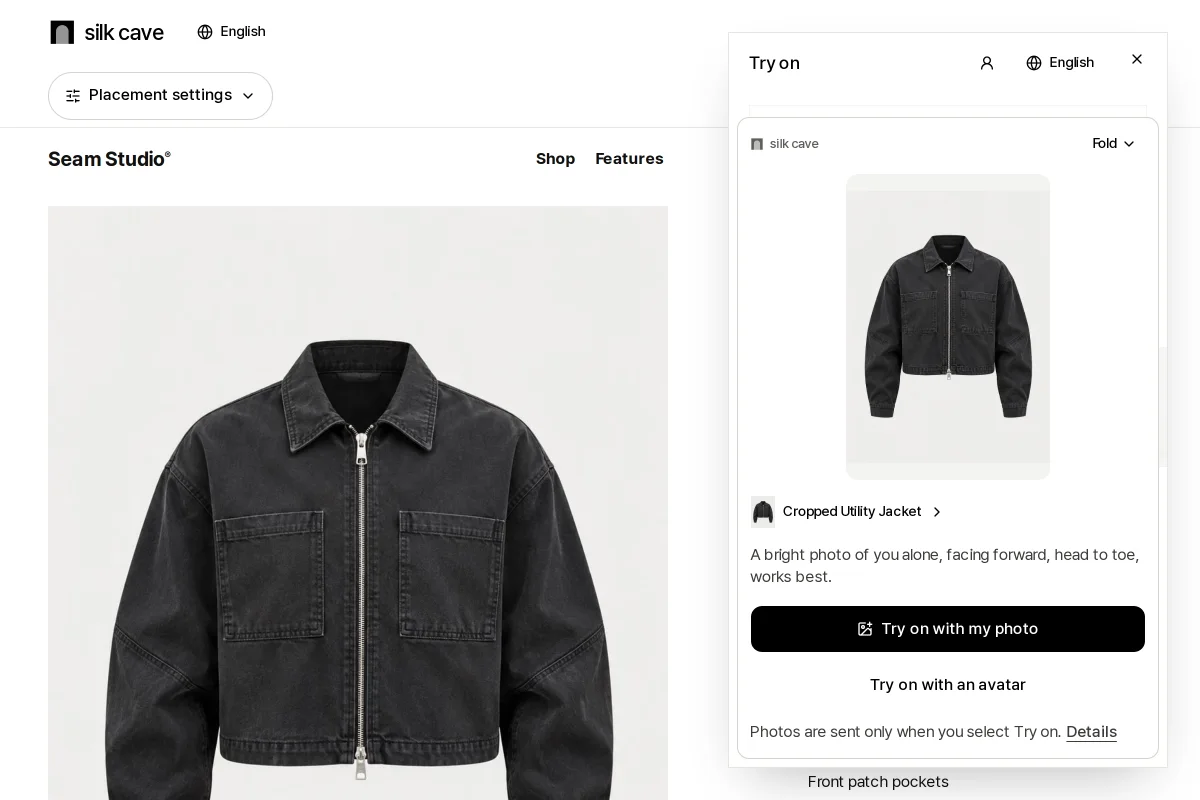 Demo store capture · fictional photosInstall Silk Cave Virtual Try-On on imweb
Add virtual try-on to an imweb site with Silk Cave. Review app permissions, link your site, check product and sizing data, test mobile placement, and learn how to disconnect.